Evermore Hospitals
Helping patients find their way through a hospital website.
Appointments, patient records and billing screens
Visit live site ↗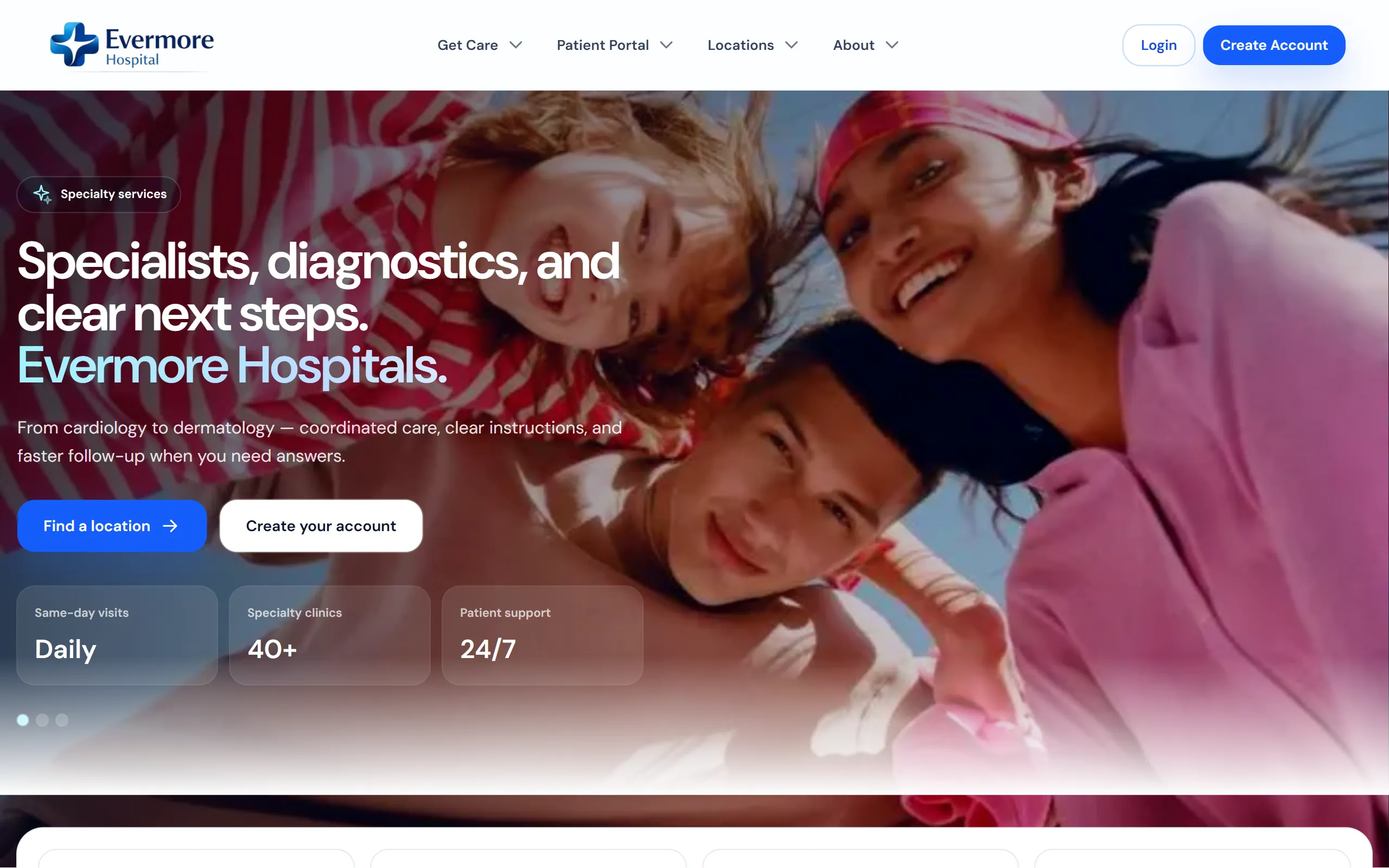
What the site is for.
People visiting a hospital website usually have something specific on their mind. They may be looking for a department, arranging an appointment or checking information from an earlier visit. Evermore brings those tasks together and gives each one a clear starting point.
How it comes together.
The public pages introduce the hospital and its departments. Appointment screens then let patients choose the relevant service, clinician and time. Once signed in, patients have a place to see their next appointment, browse records and review billing. Separating those areas keeps the account from becoming one long page of unrelated information.
A closer look.
01Department pages explain the areas of care and provide a route to booking, rather than leaving visitors to work out where to go next.
02Appointment screens group the service, clinician, location and time so patients can review the visit they are arranging.
03The patient account puts upcoming appointments and personal information near the front, where returning users can find them.
04Records and billing have separate views, helping patients look for a document or an invoice without searching through everything else.
For the business.
The hospital has a place to explain its services and support the practical steps around a visit. Patients can arrange appointments and return to their account for records or invoices. The website carries on being useful after someone has found the hospital’s phone number.
For a closer technical look +
What you can review
The screenshots include patient accounts, appointments, records and billing, including tablet views. They demonstrate the application screens, not clinical validation.
A look through the site.
8 images / Open to enlargeThe opening introduces the hospital’s services and ways to arrange care.
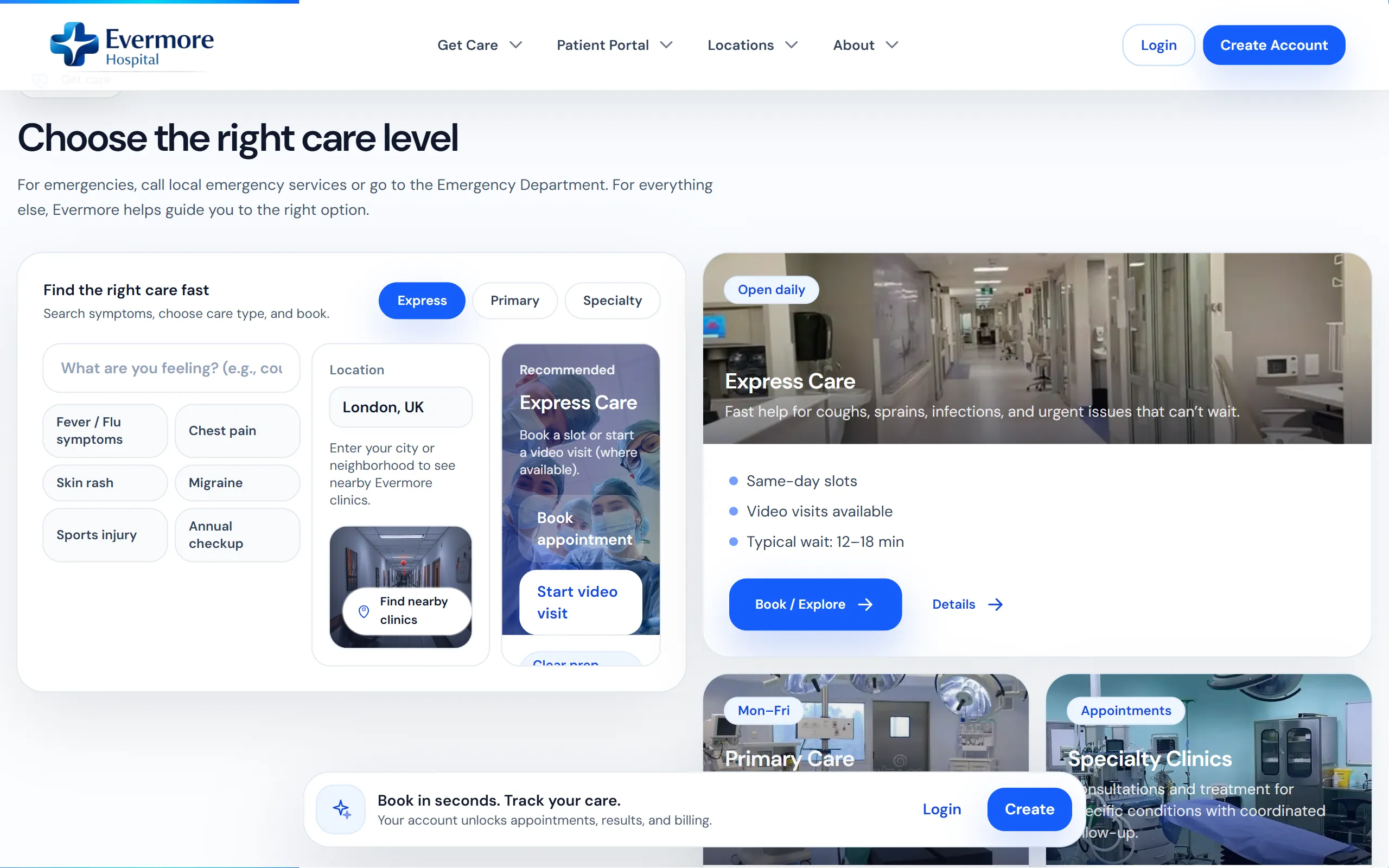
A care finder gives visitors a starting point for exploring the available services.
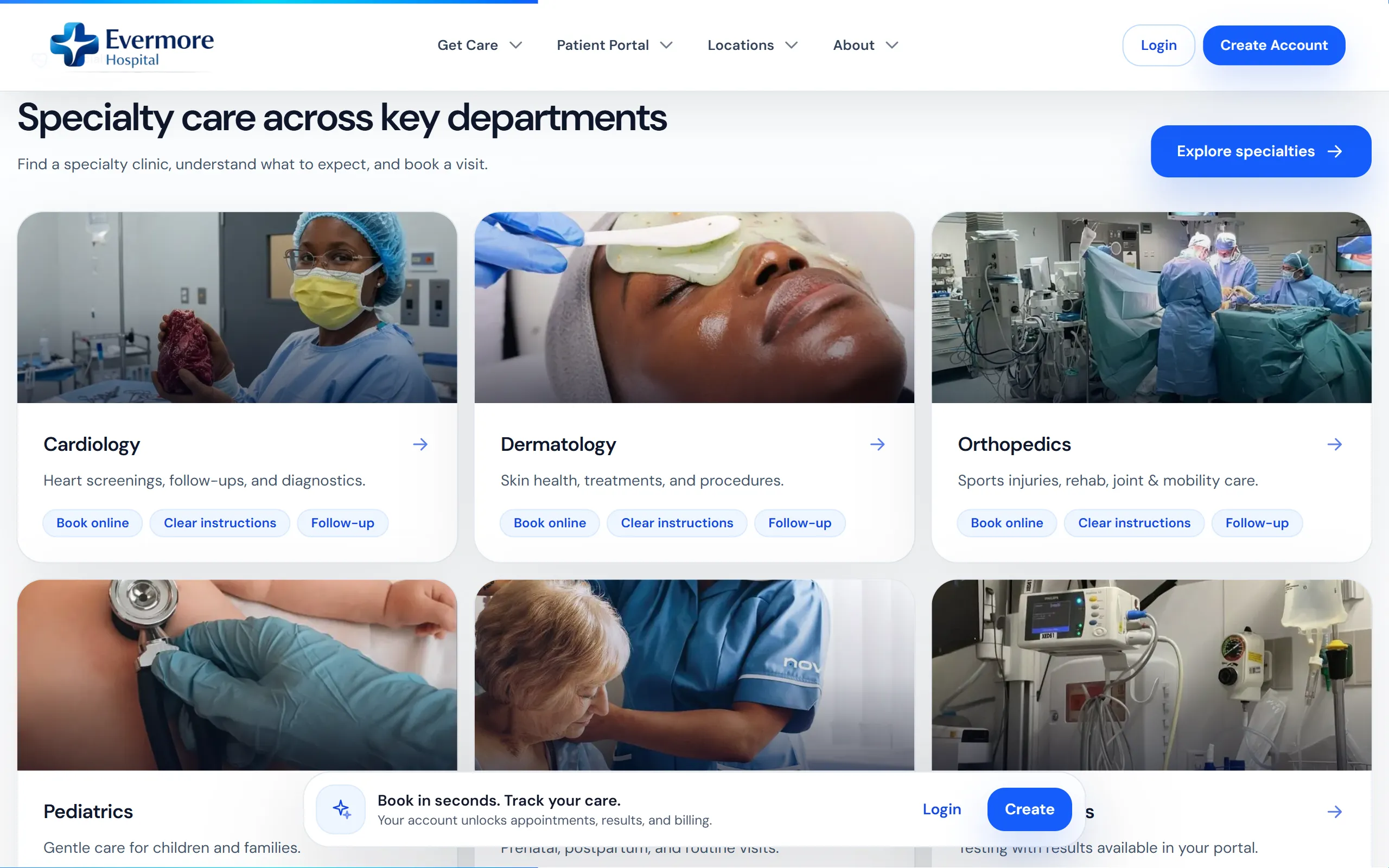
Department information helps patients choose where to enquire or book.
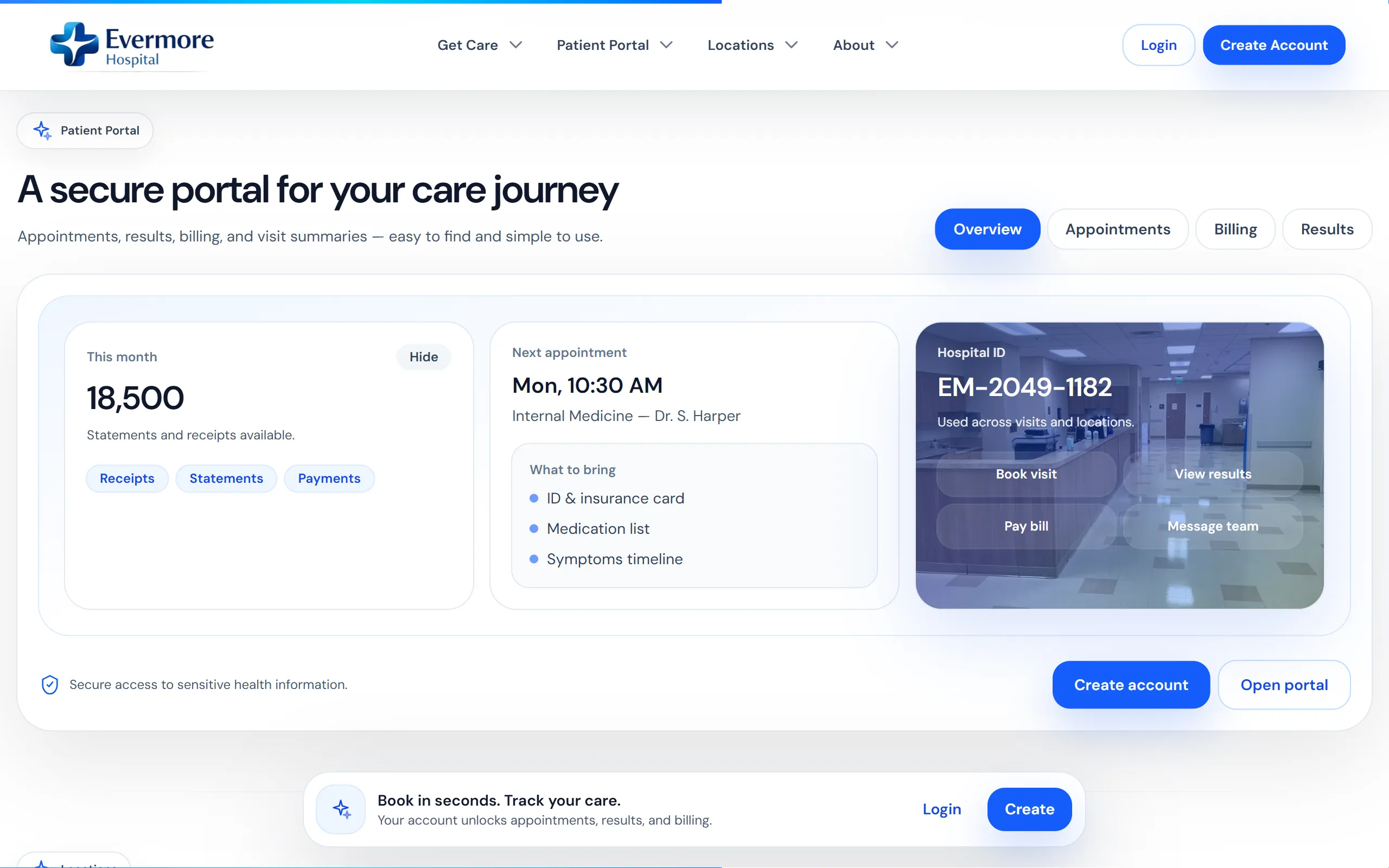
The patient portal brings upcoming visits and account information together.
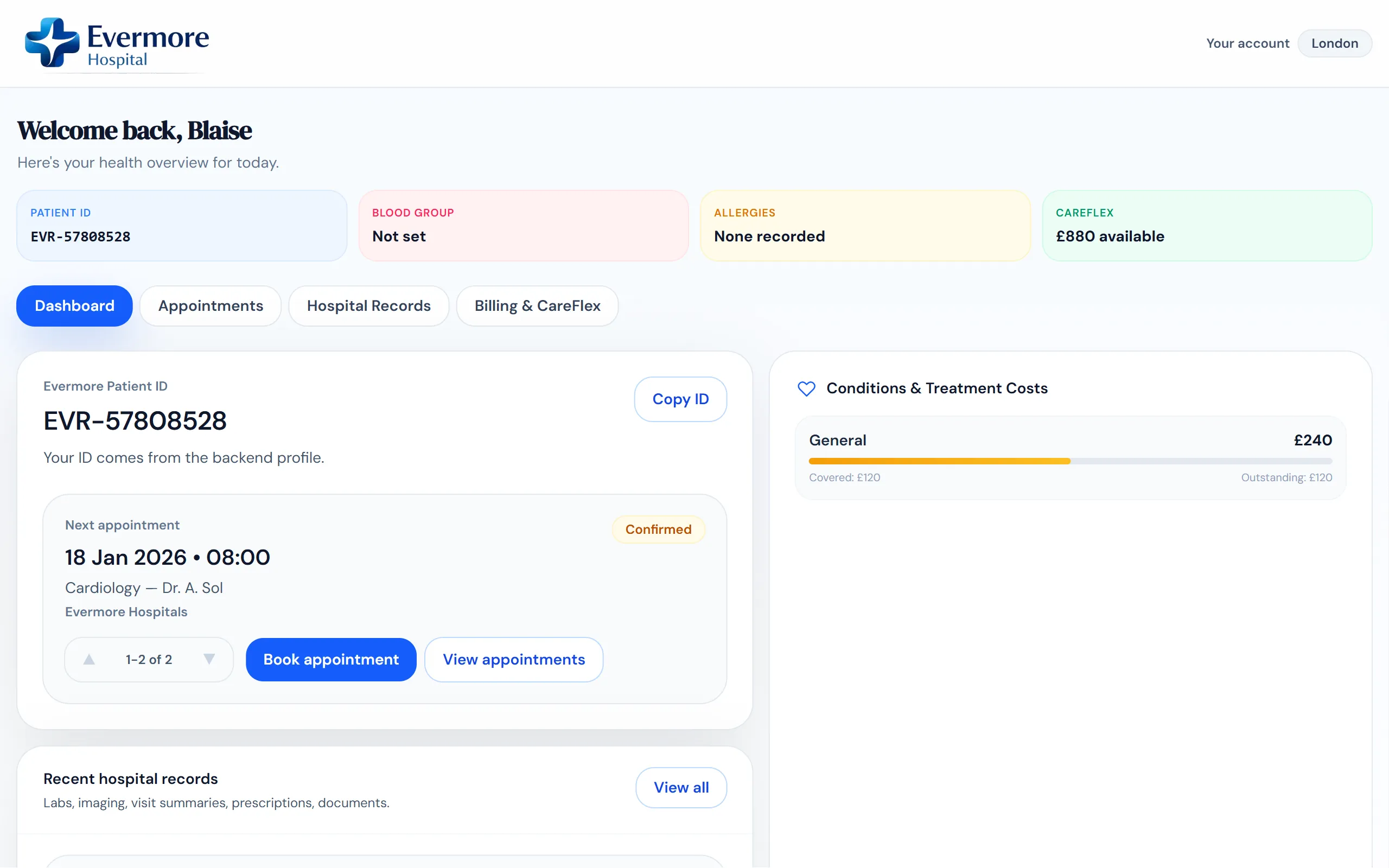
The dashboard gives returning patients a place to check their details and appointments.
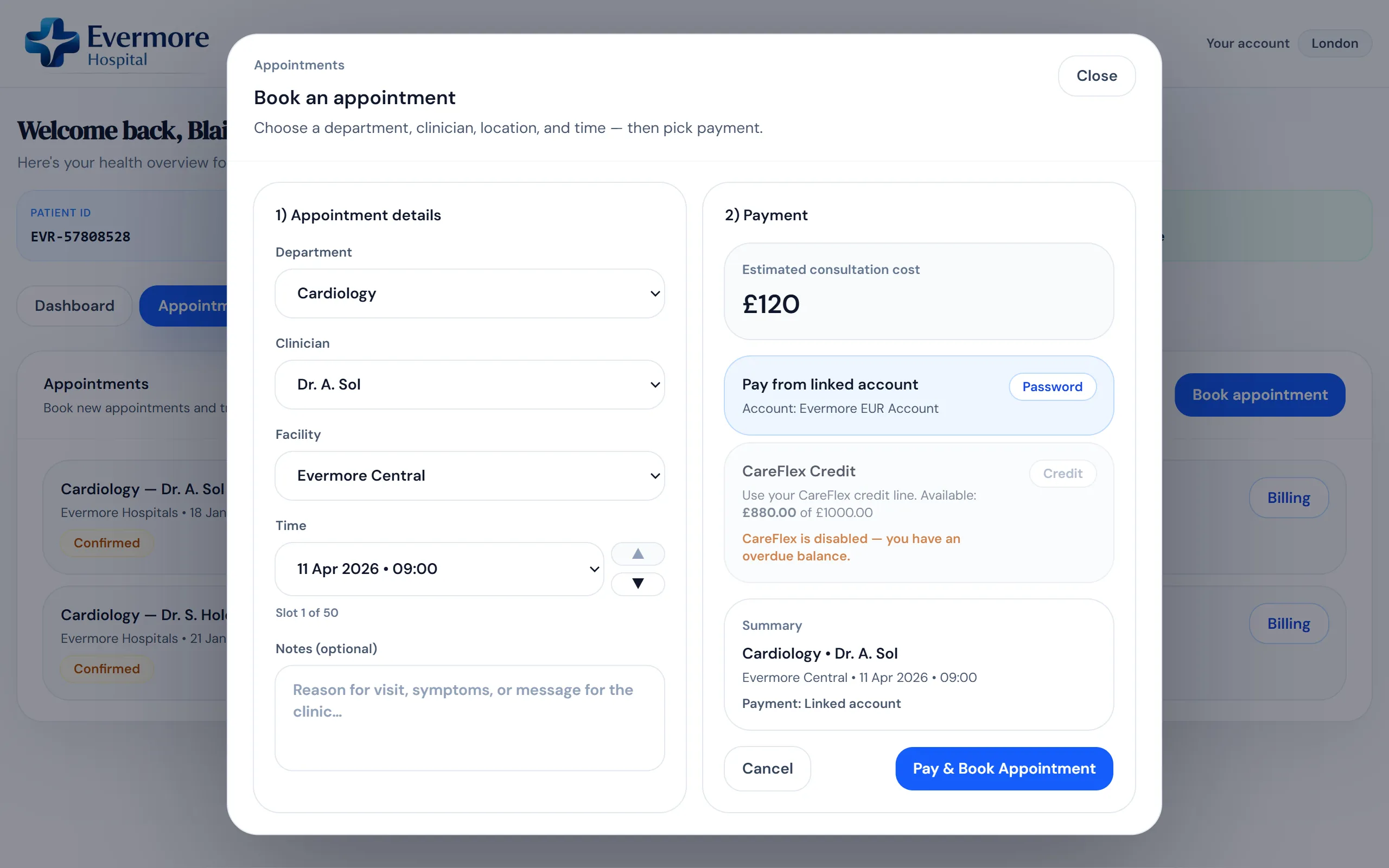
Patients can review the clinician, location and appointment time before booking.
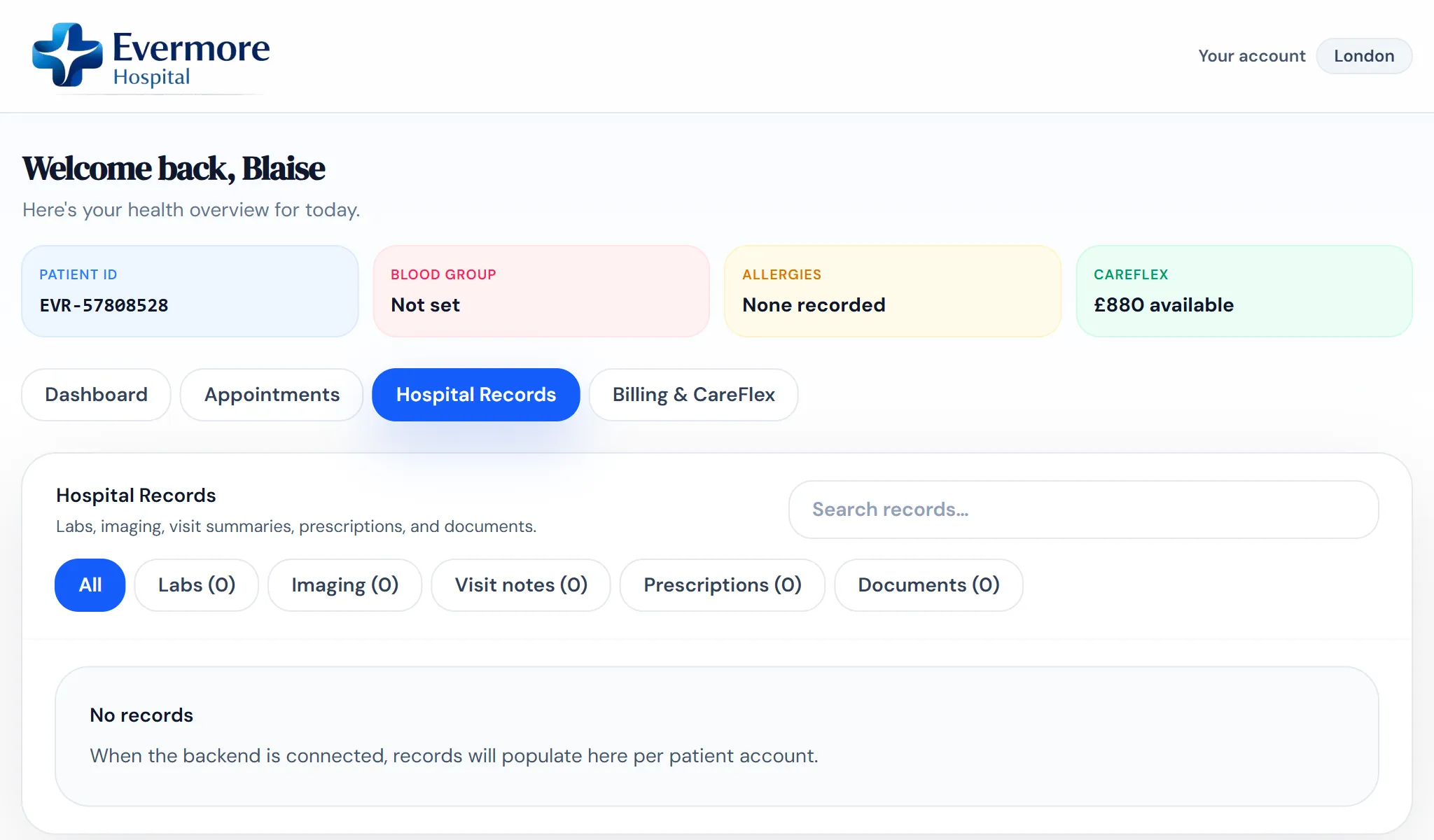
Records are grouped by type to make a particular document easier to find.
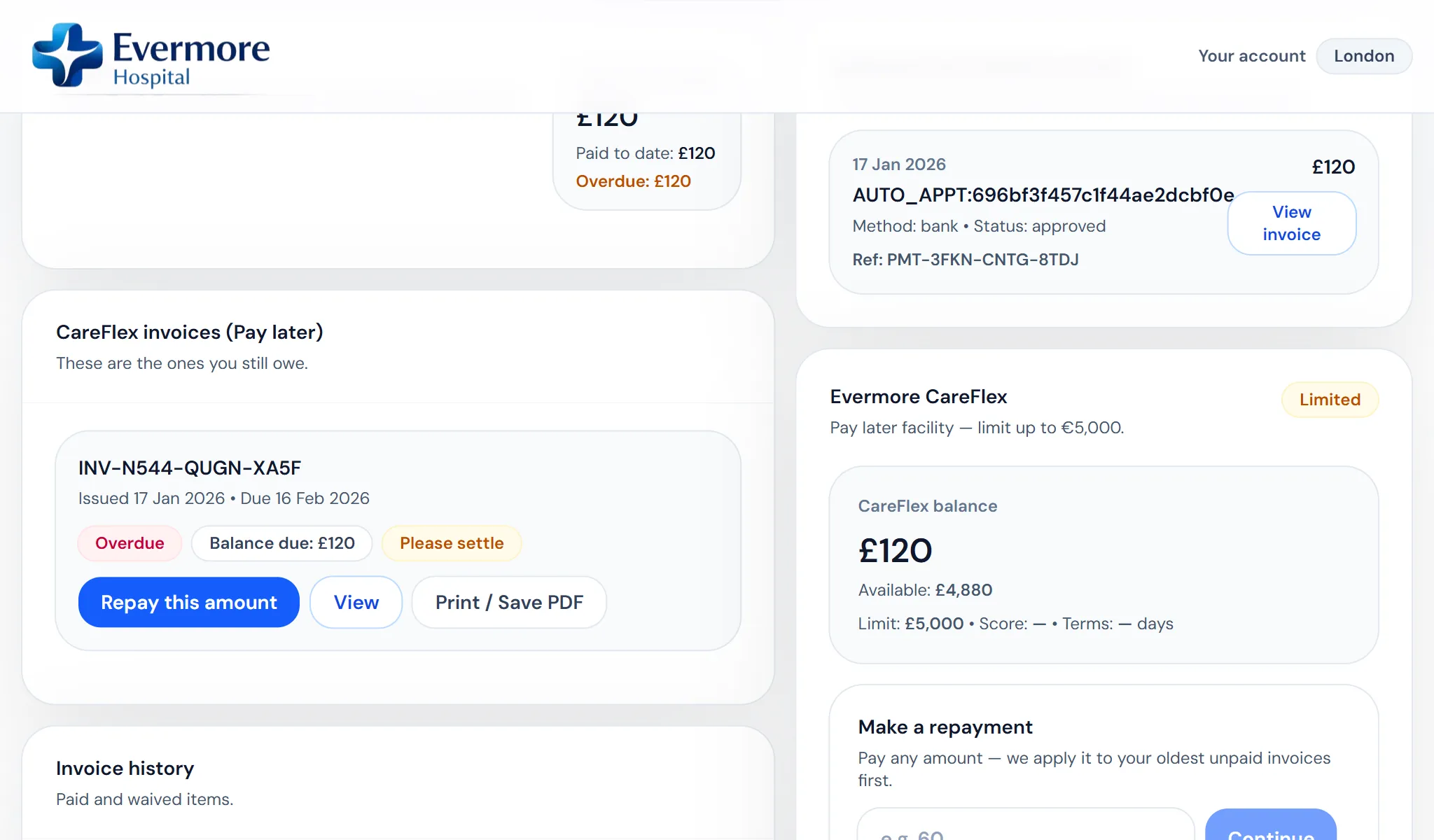
Invoices and payment information have their own area in the patient account.